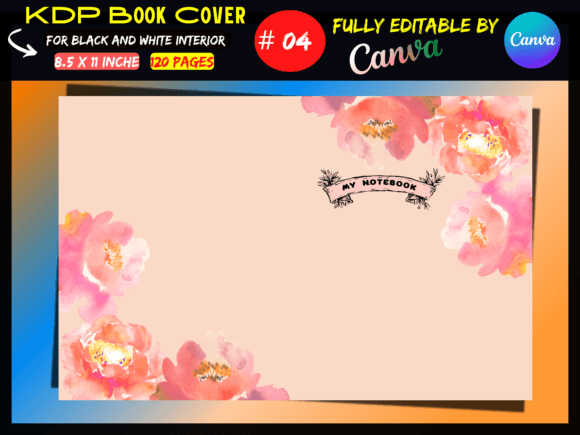
Streamline Your Self-Publishing with KDP Cover Templates
Let’s be honest: designing a book cover from scratch can feel like a monumental task. You have a brilliant manuscript ready to go, but staring at a blank canvas in design software is paralyzing. Where do you even begin with margins, spine width, and bleed? This is where a well-structured KDP Cover Template comes in, specifically a Canva template designed to remove the technical guesswork. These templates aren't just about saving time; they are about ensuring your book meets Amazon’s strict printing requirements while looking professional and polished. A template acts as your roadmap, guiding your creative vision within the necessary technical boundaries so you can focus on what matters: making your cover beautiful and market-ready.
The Anatomy of a Professional KDP Cover
When we talk about a template like this, we are looking at a specific set of technical specifications that have been pre-calculated for you. The dimensions mentioned—17.52 x 11.25 inches for a 120-page book on 8.5x11 inch paper—are not arbitrary numbers. They represent the exact canvas size required to accommodate the front cover, the back cover, and the spine width, which is calculated based on the page count and paper type. By starting with a file that is already set to these exact specifications, you eliminate the risk of rejection by KDP’s automated review system.
The appeal of using a Canva Template lies in its accessibility. You do not need to be an expert in Adobe Illustrator or InDesign to use it. Canva is a web-based design tool that uses a drag-and-drop interface, making it ideal for authors, entrepreneurs, and small business owners who may not have formal design training. When you open a PDF link to a Canva template, you are accessing a fully editable environment. This means you can change the background images, alter the text, and adjust the layout to fit your book's genre. However, it is important to remember that the visual hierarchy of the design matters just as much as the technical setup. Your title needs to be legible at thumbnail size, and your author name should be distinct.
Visual Style and Brand Consistency
A premium font or a specific visual style included in a template sets the personality of your book before a reader even reads the blurb. Whether the template utilizes a bold sans serif font for a modern thriller or an elegant serif font for a historical romance, these choices influence brand perception. For entrepreneurs and content creators, a book is often a key component of their brand identity. Using a cohesive design ensures that your book looks at home on a shelf next to traditionally published titles.
The beauty of these templates is that they often come with suggested font pairings. Typography is an art form, and mixing typefaces can be tricky. A display font for the title might pair beautifully with a clean body font for the subtitle. If the template utilizes a script font or handwritten font, it adds a layer of personal touch or whimsy, which works well for journals, planners, or children's books. The goal is to create a cover that feels intentional. A well-chosen typeface improves readability and ensures that your graphic design elements don't compete with your text.
Practical Applications Beyond the Bookshelf
While the primary function of a KDP Cover Template is for publishing, the skills and assets involved have broader applications. Understanding how to manipulate these templates in Canva teaches you fundamental principles of editorial design and layout. These skills are transferable to creating social media graphics, web design elements, or packaging design for other products.
For the DIY designer, a template serves as a design asset. You can analyze why the designer placed elements where they did. Notice the visual hierarchy: usually, the title is the focal point, followed by the author name, and finally the imagery. This structure is crucial for audience engagement. If you are creating a series of books, using a consistent template structure allows you to build recognition. Readers should be able to spot your brand across a crowded Amazon search page.
Ensuring a Smooth Upload Process
The technical details provided—Black & White interior compatibility, no bleed requirements, and high-quality print-ready PDF output—are essential for a stress-free experience. When you download your design from Canva, you typically want to select the "PDF Print" setting to ensure the resolution is high enough for physical printing. The template ensures that your critical text and images are kept within the "safe zone," away from the edges where they might get cut off during the trimming process.
It is also worth noting that these templates are designed specifically for Paperback formats. While the cover design principles apply to hardcovers and dust jackets, the spine width calculation is specific to the binding method. By using a pre-tested template, you are leveraging a design asset that has already been vetted for the platform. This removes the trial and error that often frustrates first-time publishers. You can focus on the creative side—selecting the right imagery, refining your modern typography, and ensuring your logo design (if applicable) is crisp—knowing the technical foundation is solid.
Finalizing Your Design
Once your design is complete, the process is straightforward. You download the file from Canva, usually as a PDF, and upload it directly to your KDP bookshelf. The template ensures that the file dimensions match exactly what Amazon’s printing presses expect. This eliminates error messages regarding file size or aspect ratio. For anyone looking to self-publish, from hobbyists to professional marketers, utilizing a KDP Cover Template in Canva is a pragmatic step. It bridges the gap between a manuscript and a marketable product, ensuring your book is not only written well but presented professionally. It allows you to step into the role of a publisher with confidence, equipped with the right tools to make your vision a reality.