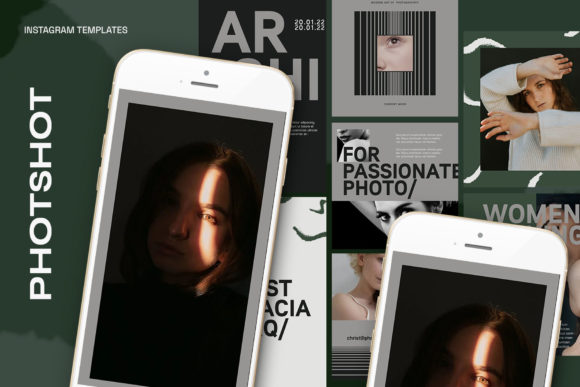
Stop Scrolling: Create Stunning Instagram Posts with Photoshop Templates
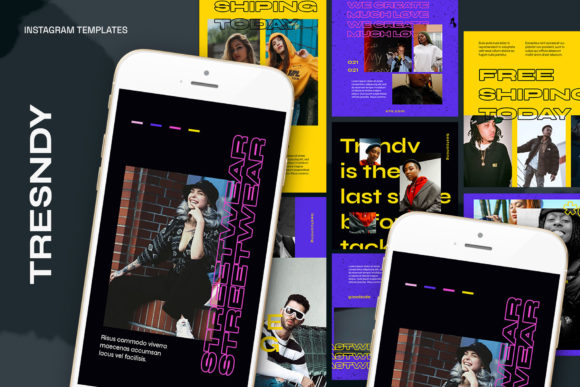
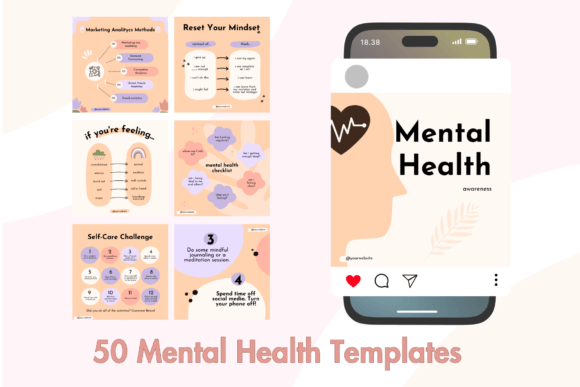
Let's be honest. The pressure to create a visually stunning and cohesive Instagram feed can be overwhelming. You see those perfectly curated grids from big brands and successful influencers, and you wonder, "How do they do it?" The secret often isn't a massive budget or a dedicated design team. It's efficiency. It's about having a system. This is precisely where the power of high-quality Photoshop Instagram templates comes into play. They are a game-changing design asset for anyone looking to build a strong brand identity online without spending hours on a single post.
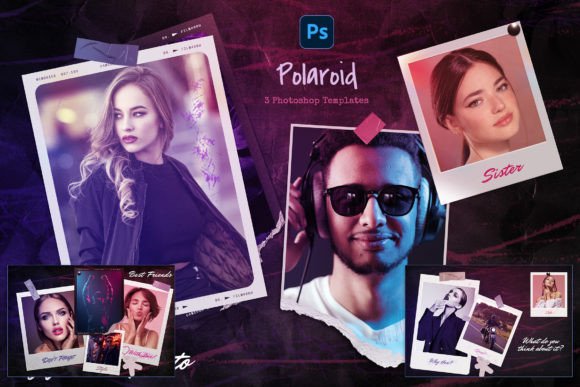
Forget the frustration of starting from a blank canvas every time. These templates provide a professional framework that you can customize in minutes, not hours. We're going to dive deep into what makes a great set of PSD templates, focusing on the practical features that save you time and elevate your content. We'll explore how the right template can transform your social media graphics from amateur to professional, ensuring your brand is seen as credible, consistent, and worth following.
The Anatomy of a High-Quality PSD Template
Not all templates are created equal. A truly valuable set of Photoshop Instagram templates is built with the end-user in mind, focusing on flexibility, quality, and ease of use. When you invest in a professional template pack, you're not just buying a static image; you're getting a dynamic tool designed for modern content creation. Let's break down the key components that make a template set genuinely useful for designers, entrepreneurs, and content creators alike.
Effortless Customization with Smart Objects
The cornerstone of any great Photoshop template is the Smart Object. This feature is what makes customization incredibly simple, even for those with limited Photoshop experience. Instead of trying to resize and warp your own photo to fit a specific shape, you simply interact with the Smart Object layer. The process is as straightforward as it gets:
- Find the designated "image layer" in the Layers panel. It's usually clearly named and grouped.
- Double-click the layer icon on that image group. This opens a new, temporary Photoshop file.
- Paste your own image into this new file, resize it to your liking, and position it perfectly.
- Press CTRL + S (or Command + S on a Mac) to save.
When you return to your main template file, you'll see your photo has been perfectly integrated into the design, complete with any effects, masks, or shapes from the original template. This non-destructive workflow is a massive time-saver and allows for endless experimentation without ruining the original design structure.
Professional-Grade Specifications for Crisp Results
Quality matters, especially on a visual platform like Instagram. A professional template pack will always be built to high technical standards. Look for these specifications:
- 300 DPI (Dots Per Inch): While Instagram compresses images, starting with a high-resolution 300 DPI file ensures your graphics are sharp and clear. This is especially important if you ever want to repurpose your designs for print, such as flyers or posters.
- RGB Color Mode: This is the standard for digital displays and is essential for vibrant, true-to-life colors on screens.
- Optimized Dimensions: A versatile pack will include templates in various popular sizes. Common dimensions like 1200 x 1200 px for square posts and 1920 x 1080 px for Stories and Reels ensure your content looks perfect wherever you place it.
More Than Just a Pretty Picture: The Power of Editable Design
The true value of a premium font or a design asset lies in its adaptability. A beautiful template that you can't fully customize is ultimately limiting. The best Photoshop Instagram templates understand this, offering full control over every element. This means all text is editable with the standard text tool. You can change the wording, adjust the font size, switch the typeface, and alter the color to perfectly match your brand's typography and style guide.
This level of control is crucial for building a consistent brand identity. Your visual language—the combination of your chosen typeface, color palette, and imagery—is what makes your brand recognizable. By using templates that allow for deep customization, you can maintain that consistency across every single post. This reinforces your brand perception, builds audience trust, and creates a professional, polished feed that tells a cohesive story. Whether you're using a modern serif font for a luxury feel or a clean sans serif font for a minimalist look, the template should be a canvas for your brand, not a cage.
Who Benefits from Using Instagram Templates?
The applications for these design assets are nearly endless. They are a lifeline for busy professionals who need to produce high-quality content consistently. Think of a small business owner who also has to manage inventory, sales, and customer service. Or a blogger who wants to focus on writing, not wrestling with design software. These templates bridge the gap.
They are perfect for:
- Marketers & Social Media Managers: Quickly create on-brand promotional graphics, announcements, and quote cards.
- Entrepreneurs & Small Business Owners: Maintain a professional online presence without hiring a full-time designer.
- Bloggers & Publishers: Create visually appealing post previews that drive traffic to their articles.
- Content Creators & Influencers: Develop a unique and recognizable aesthetic for their personal brand.
- Hobbyists & Crafters: Showcase their work in a beautiful, gallery-style format.
When choosing a pack, consider the overall style. Does it align with your brand's personality? Is it minimalist, bold, playful, or elegant? Always check the included styles and variations to ensure it offers enough flexibility for your content needs. A good template is an investment in your brand's visual hierarchy and overall professionalism, helping you make a stronger impact and better engage your target audience.