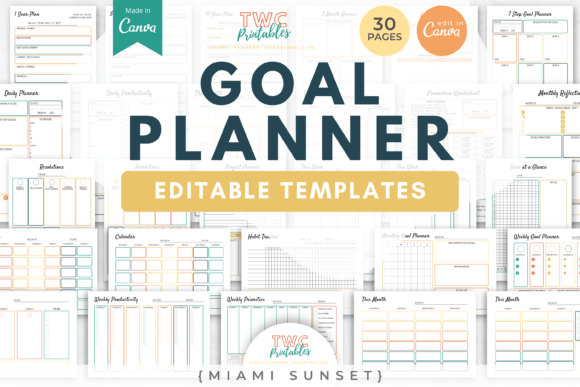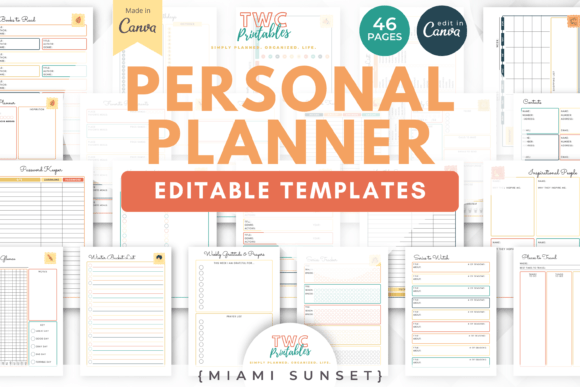
Master Your 2024 Workflow with Canva Planner Templates
For designers, entrepreneurs, and creators, the start of a new year brings a familiar pressure: the need for better organization without sacrificing aesthetic appeal. We often spend hours looking for a planner that fits our specific workflow, only to settle for a generic layout that stifles creativity. The solution lies in taking control of your own design assets. Using CANVA 2024 Planner Templates allows you to bridge the gap between functional scheduling and high-end graphic design. These are not just static pages; they are fully editable foundations for creating a planner that matches your brand identity and personal style.
A Complete System for Modern Publishers and Creators
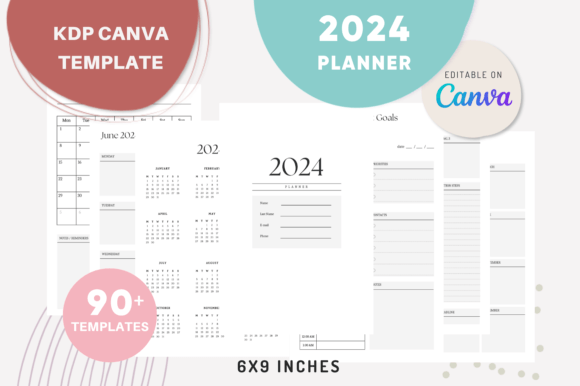
The true value of this collection is its versatility. You receive over 90 distinct templates sized at 6×9 inches, a standard that works seamlessly for both digital use and physical printing, including Kindle Direct Publishing (KDP) interiors. The visual style is inherently modern and clean, relying on strong visual hierarchy to make information accessible. However, because every element is editable within Canva, the "personality" of the planner is entirely in your hands. You can shift from a minimalist corporate look to a vibrant, artistic aesthetic simply by changing the colors and fonts.
The package is structured to handle every aspect of planning. It moves beyond simple date tracking to include strategic elements like a 2024 Visual Board and a Year at a Glance page. This allows you to map out long-term goals while managing daily tasks. The inclusion of both single-page and two-page spreads for monthly and weekly planners offers critical flexibility. A single page is excellent for a quick overview or a compact pocket-sized book, while the two-page spread provides ample white space for detailed notes, which is often preferred by bullet journalers and project managers.
Design Flexibility: From Typography to Layout
As a creative professional, you know that typography drives readability. These templates are designed as a canvas for your preferred typeface. Whether you prefer a clean sans serif font for a modern, tech-forward feel or a classic serif font for a traditional editorial look, the layouts accommodate it. The text blocks are structured to maintain a clear visual hierarchy, ensuring that dates and headers stand out from daily notes. You can easily swap fonts to match an existing brand identity, ensuring that if you are selling these planners, they feel cohesive with your other design assets.
Consider the "Introduction Page" or the "Quotes" page. These are opportunities to utilize a display font or a script font. A handwritten or script style can add a personal, human touch to the opening of the book, making it feel less like a corporate tool and more like a personal journal. However, for the functional pages—like the To-Do List and Daily Planner—readability is paramount. Here, sticking to a highly legible sans serif font ensures that the user can scan information quickly. The ability to edit the layout means you can adjust line spacing and margins to accommodate different font sizes, a crucial step when testing font pairing.
Practical Applications for Print and Digital Markets
For those utilizing Kindle Direct Publishing, these templates solve the headache of file preparation. Since they are checked for KDP standards, you can focus on the creative side of packaging design and content curation. Imagine creating a niche planner specifically for social media marketers. You could customize the "Monthly Goals" template to focus on content pillars and campaign metrics. By changing the labels and adding specific icons, you transform a generic planner into a specialized commercial font and layout-driven product that commands a higher price point.
Entrepreneurs and small business owners can use these templates internally to streamline operations. Instead of using a generic app, printing a custom "Weekly Planner" tailored to your specific meetings and project milestones adds a level of professionalism to your desk. For content creators and bloggers, the "Notes" and "Visual Board" pages are perfect for sketching out video storyboards or mapping out editorial design layouts for upcoming magazines. The ability to create an "unlimited combination of pages" means you aren't locked into a standard 12-month format; you can create a 90-day sprint planner or a specific project-based notebook.
Maximizing Value with Editable Design Assets
The ability to edit colors and layout styles is perhaps the most significant advantage for graphic designers. Trends in modern typography and color palettes shift quickly. With static PDF planners, you are stuck with last year's trends. With Canva editable templates, you can update the look instantly. If "Peach Fuzz" is the color of the year, you can apply it across all 90+ pages in minutes. This keeps your product relevant if you are reselling, or keeps your personal tool feeling fresh.
Furthermore, the inclusion of specific templates like the 2024 Calendar Page and the Year at a Glance provides essential reference points that users expect. These pages often serve as the visual anchor of the book. By keeping the design of these pages consistent with the daily pages, you create a sense of rhythm and flow. This consistency is key to professionalism and brand perception. When a user picks up the planner, the cohesive design builds trust and recognition.
Ultimately, CANVA 2024 Planner Templates offer a robust toolkit for anyone looking to organize their year with precision and style. They provide the structure of a professional planner while offering the creative freedom of a blank canvas. Whether you are a hobbyist looking to create a personalized gift, a marketer needing a content calendar, or a publisher launching a new product line, these templates provide the necessary foundation to execute your vision effectively.