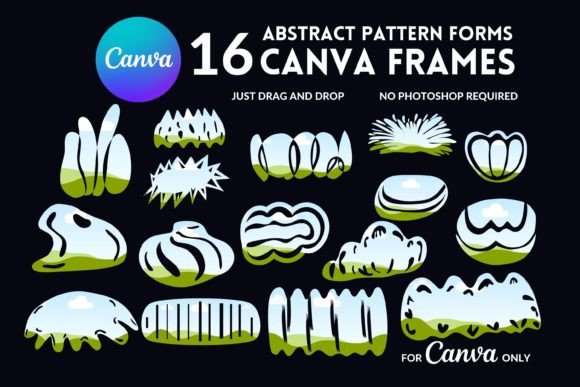
Editable Canva Frames: The Power of Organic Shapes
In the crowded digital landscape, standing out requires more than just a good idea; it requires a distinct visual language. For content creators, marketers, and small business owners, the challenge is often finding design assets that feel both professional and unique, without the steep learning curve of complex software. Enter the world of editable Canva frames, specifically those built around organic shapes. These templates are not just decorative borders; they are versatile tools that inject personality, flow, and a modern aesthetic into any project, from social media graphics to brand identity systems.
Beyond the Rectangle: Understanding Organic Shape Frames
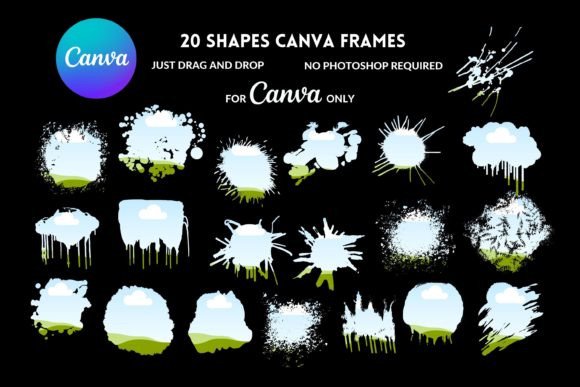
Forget rigid squares and predictable circles. Organic shape frames are defined by their fluid, natural forms. Think of the gentle curve of a river stone, the irregular outline of a cloud, or the soft, asymmetric blob found in nature. These shapes feel handmade and approachable, breaking the monotony of standard geometric layouts. The visual personality they convey is one of creativity, warmth, and modernity. They soften a brand's appearance, making it feel more human and less corporate, which is a powerful draw for audiences seeking authenticity.
The appeal of these frames lies in their ability to guide the viewer's eye in a more natural, flowing way. A rectangular photo crop is expected and static. An image placed within an organic shape frame becomes part of a larger, more dynamic composition. This subtle shift in presentation can dramatically influence brand perception, signaling that a business is innovative, design-conscious, and attentive to detail. It's a small change that speaks volumes about the quality and thoughtfulness behind the brand.
Where Organic Frames Shine: Practical Applications
The true value of a premium design asset is its versatility. Editable Canva frames with organic shapes excel across a multitude of projects, seamlessly blending into various creative workflows.
- Social Media & Digital Marketing: For Instagram posts, Facebook ads, or Pinterest pins, these frames instantly create thumb-stopping visual interest. They are perfect for showcasing products, featuring team members, or highlighting customer testimonials in a way that feels fresh and engaging, boosting audience interaction.
- Brand Identity & Logo Design: When used in a logo or as a consistent graphic element, an organic shape can become a recognizable part of a brand's visual identity. It can act as a unique container for imagery or a standalone mark that adds character and ensures brand consistency across all touchpoints.
- Publishing & Editorial Design: Bloggers and publishers can use these frames to create featured images, author bio photos, or pull quotes that break the text-heavy monotony of an article. In digital magazines or e-books, they add a layer of sophisticated, modern typography and layout design.
- Packaging & Print Design: For product packaging, labels, or business cards, organic frames offer a tactile, artisanal quality. They can make a product feel more premium and curated, appealing to consumers who value craftsmanship and unique presentation.
- Personal Projects & Crafting: From creating custom invitations and photo collages to designing digital planners, hobbyists and crafters find endless uses for these templates. The drag-and-drop functionality in Canva makes customization accessible to everyone, regardless of skill level.
Strategic Selection and Practical Guidance
Choosing the right set of editable Canva frames involves more than just picking shapes you like. It requires a strategic evaluation of your project's needs and the asset's functionality. Here’s how to approach it effectively.
Evaluating Fit for Your Project
Consider the overall tone you need to set. A set with soft, rounded blobs might suit a wellness or lifestyle brand, while frames with more angular, flowing curves could align better with a tech or creative agency. Always preview how the frames look with your specific brand colors and typical imagery. A good set of frames should enhance your content, not compete with it.
Understanding the Package and Licensing
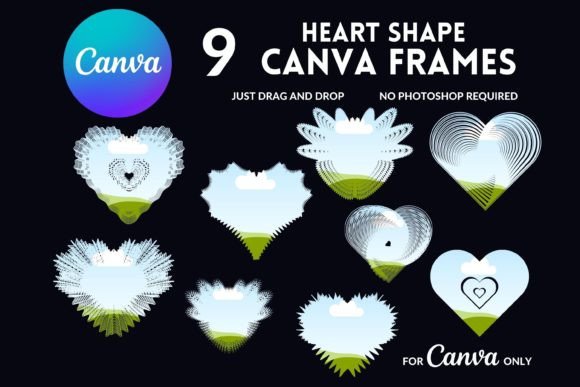
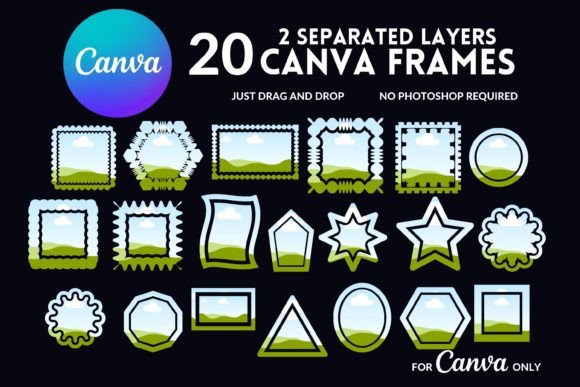
A critical step is to review what you receive. A comprehensive package, like the one offering 16 editable Canva frames via a PDF link, provides significant value. This means you get a library of options to maintain visual variety while staying on-brand. Crucially, verify the commercial use license. For entrepreneurs and designers, this is non-negotiable. It grants you the legal right to use the frames in client work, products for sale, and marketing materials, protecting both you and your business. The fact that it's a digital product with instant access means you can start working immediately.
Maximizing Usability in Canva
Once you have your frames, the process is straightforward. You will typically receive a PDF with a link that opens the template directly in Canva. From there, the drag-and-drop interface is your playground. You can change colors, add text, incorporate your own images into the frame placeholders, and adjust sizing. For the best experience, especially with detailed edits, using the Canva editor on a computer is recommended over the mobile app. This allows for finer control and a clearer view of your design hierarchy.
The Lasting Impact on Visual Communication
Integrating editable Canva frames with organic shapes into your toolkit is more than a trend; it's an investment in clearer, more compelling visual communication. They help establish a visual hierarchy that is both intuitive and aesthetically pleasing. When used consistently, they become a signature element that enhances brand recognition and professionalism. The result is content that doesn't just capture attention—it holds it, fostering a deeper connection with your audience through thoughtful, modern design.